Welcome to the Nobius docs
Nobius is a set of utilities for authoring, exporting, previewing, and re-importing Mobius content from local JSON source files.
The current workflow is built around four main entry points:
- keep authored content in version-controlled JSON rather than only in the Mobius editor
- export that content into Mobius-ready XML and ZIP packages
- preview the rendered output locally in HTML
- import Mobius exports back into Nobius when edits are made in the platform
Nobius also supports a first-class HTML response mode for custom interactive widgets. This sits alongside the standard response areas and custom response layouts.
This project builds on the original Nobius project at github.com/lmanestar/Nobius.
Make sure to visit the Quickstart Guide to get started.
Recommended entry points
- Quickstart Guide
Start here for the normal Nobius workflow and the main commands. - export_mobius.py
Main Mobius export command. Use--profilefor resource/style selection and--render-modeto choose assignment or exercise output shape. - preview_html.py
Build a local browser preview of a sheet before exporting to Mobius. - export_pdf.py
Generate LaTeX and PDF versions of a sheet for exercise, review, or solutions views. - import_mobius.py
Import a Mobius XML or ZIP export back into Nobius JSON and media folders. - HTML response mode
Use a raw HTML response area when standard response types are not flexible enough. - Testing
Run the automated checks used to validate rendering, importing, and documentation changes.
Our Philosophy
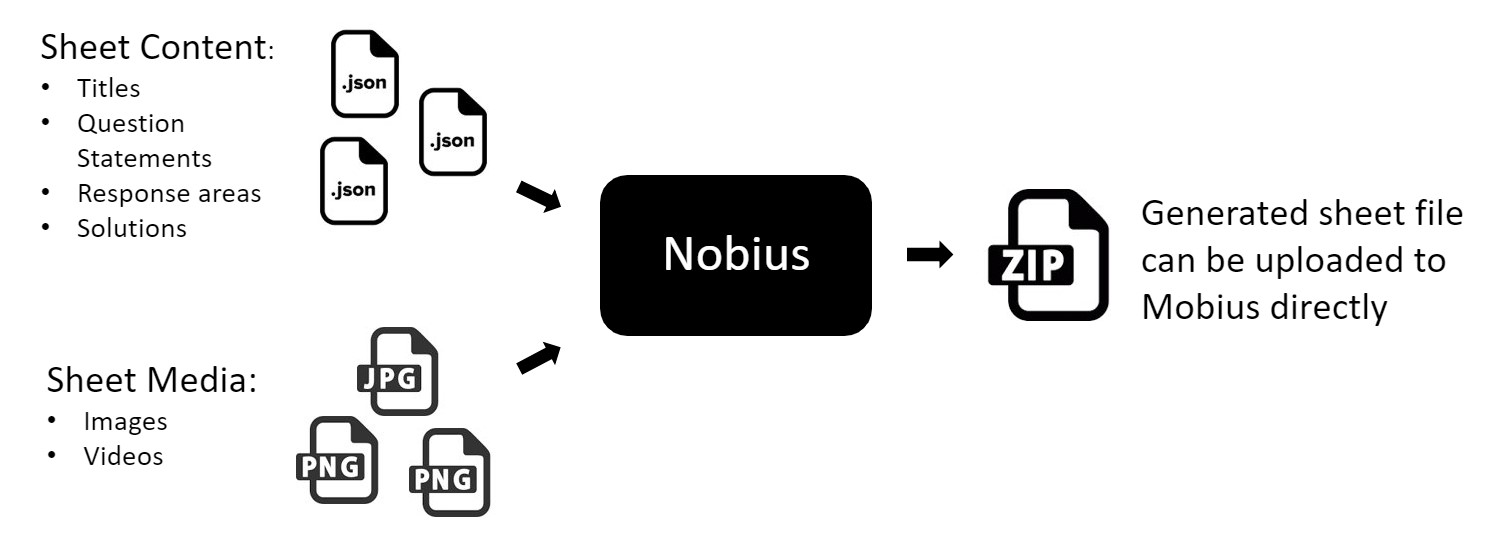
As an author, your time is best spent generating and refining content, not worrying how you should style or lay it out. The separation of these two main aspects of content creation was the main idea behind Nobius.
Questions tend to share a common structure: statements, parts, answers, feedback, and media. Nobius keeps that structure explicit so content is easier to validate, version, and regenerate. At the same time, it still leaves room for controlled customization where that is genuinely needed.
- export that content into Mobius-ready XML and ZIP packages
- preview the rendered output locally in HTML
- import Mobius exports back into Nobius when edits are made in the platform
Nobius also supports a first-class HTML response mode for custom